
DLP Power Pack Release Notes V2.0.x
Release notes for 2.0.2 + 2.0.3 – 12th March 2026
- New: Added expired attribute to the shortcode to filter by expired documents
- New: Group Grid entries by Category via new shortcode
- Bug fix: Redirection after document edit wasn’t working
- Bug fix: Client Manager was throwing an error with document library when not enabled
- Bug fix: Front end edit form delete button not correctly checking role capability
- Bug fix: Removed notify client user on edit form
Release notes for 2.0.0 – 2nd March 2026
- Settings screen tabs: Power Pack has grown a lot over the last year and the Setting screen was getting crowed. It is now split into tabs to be easier to manage.
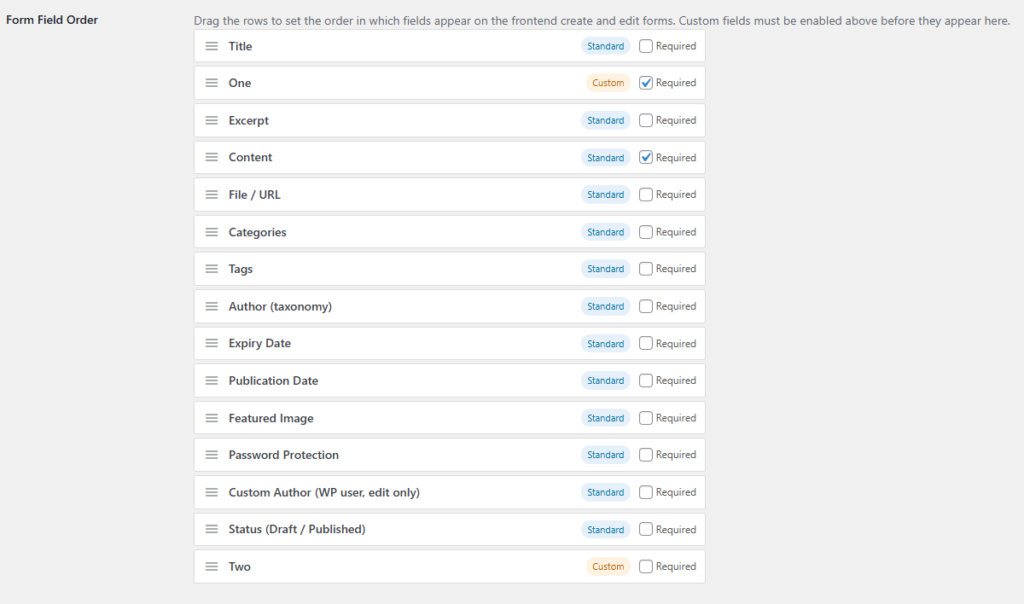
- Field ordering on front end forms: Form fields can now be re-ordered via drag and drop in the Power Pack settings.
- Client Management: Create individual client accounts with private, permission-controlled document categories automatically generated from a configurable template — with single-client creation or bulk CSV import.
- Client Management: Send documents for acknowledgment with cryptographically-secure approval links, automatic reminders, and a timestamped audit trail recording when each client opened and confirmed receipt.
- Client Management: Track client activity — logins, downloads, and acknowledgments — in a per-client activity log, with an Acknowledgment Status dashboard showing pending and overdue documents at a glance.
Settings screen tabs
The long and complex Power Pack Settings screen has now been split into relevant tabs to make it easier to manage.
Client Management & Tools (both new for v2.0.0.) add new features. Check out the Client Management post to find out more.

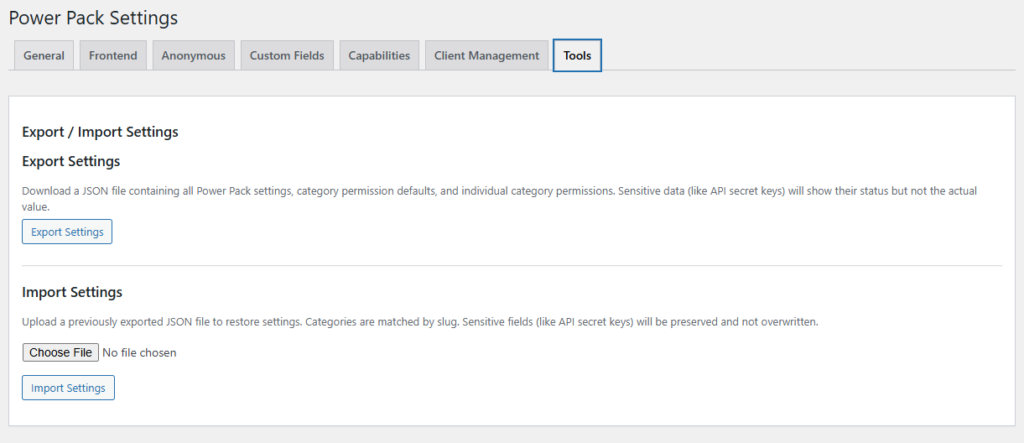
The Tools tab lets admins export and import their Power Pack settings. This will help me troubleshoot issues on Intranet sites which are not publicly accessible. It can also help multiple site owners keep their site settings in sync with a common structure.
Front end forms – Field Ordering
The enhanced front end form was added several major versions ago and allowed built in and custom fields (added to the Documents post type, not added per document) to be displayed, however until now you couldn’t control the ordering which meant custom fields were always at the bottom.
With V2.0.0 you can now order your fields as you wish, and set them as required or not. In the below example “One” and “Two” are custom fields, with “One” near the top and set as required, while “Two” is at the bottom and is optional.
Client Management
Find out about more: Stop Paying Per Client — How WordPress Can Run Your Own Secure Document Portal for Accountants, Bookkeepers & Financial Advisors
Knowledge base article on setting it up: How the Client Manager Works — Client Accounts, Protected Downloads & Document Approval Tracking