
ClickTock
Simple time tracking built into your WordPress admin.
Stop guessing how long tasks took. ClickTock tracks your time directly in WordPress.
Latest Release: V2.4.1 – 14th May 2026 and feature wish list.
14 day refund policy
If during the next 14 days you experience an issue that makes the product unusable and I am unable to resolve it, I’ll happily consider offering a full refund of your money.
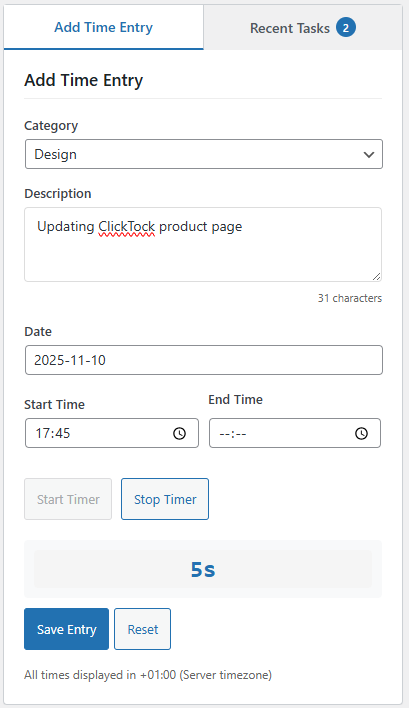
A “time-saving” plugin built for fellow web designers
ClickTock provides a no-frills way of tracking your time while working on client sites.


Are you flying blind on time?
Most WordPress developers struggle with accurate time tracking:
- Forgetting to start the timer when switching tasks
- Using separate apps that interrupt your workflow
- Guessing at time spent when billing clients
- No clear picture of where time actually goes
- Missing those “quick fixes” that take longer than expected
You need a solution that works the way you do – right inside your client’s WordPress dashboard.
Related: Why did I create ClickTock
Built for WordPress site builders
ClickTock integrates seamlessly into your existing workflow:
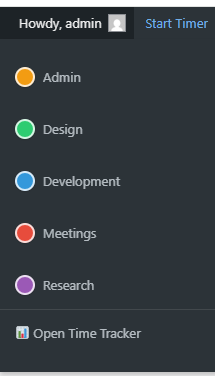
🎯 Admin Bar Integration – Start and stop timing with one click from your WordPress admin bar. No separate apps, no workflow interruption.
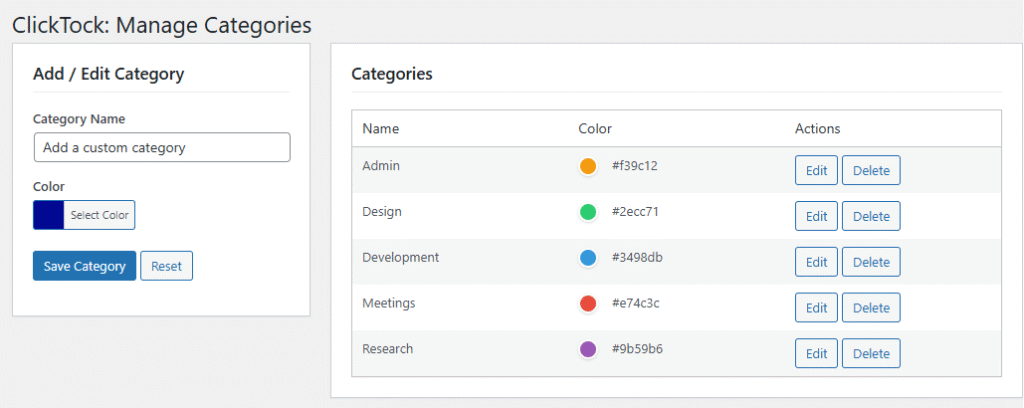
📊 Smart Categories – Organize time by work type: Development, Design, Content, Debugging, Client Communication, and more.
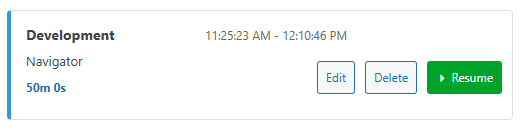
⚡ Instant Switching – Jump between categories with a single click. ClickTock automatically handles the timing.
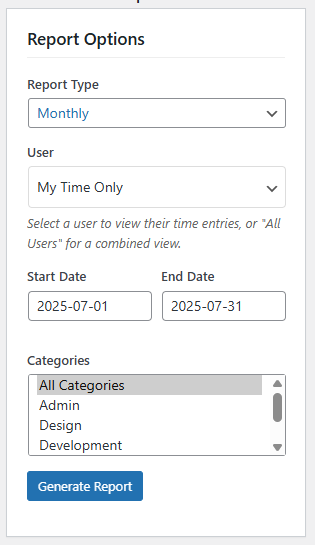
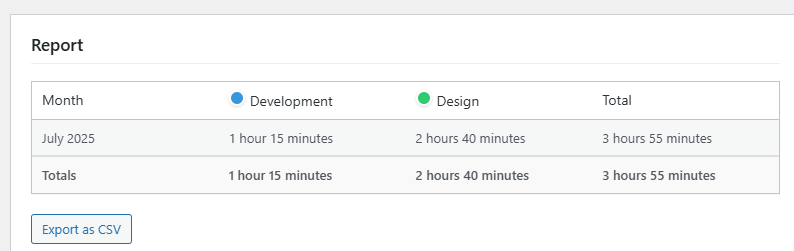
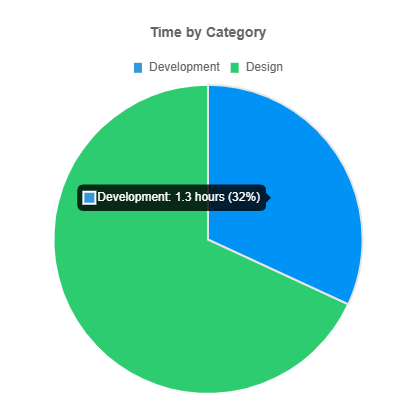
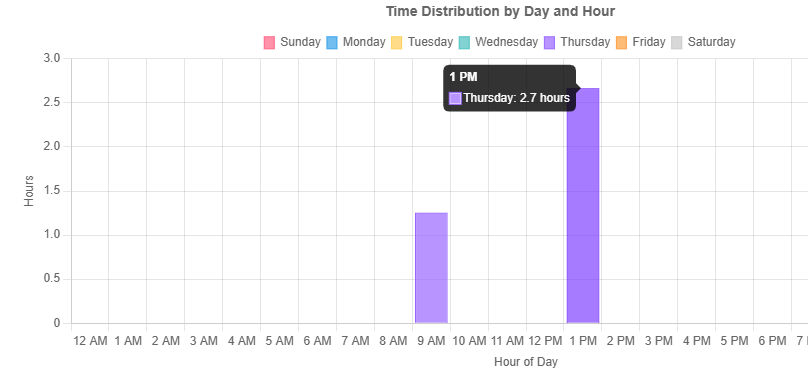
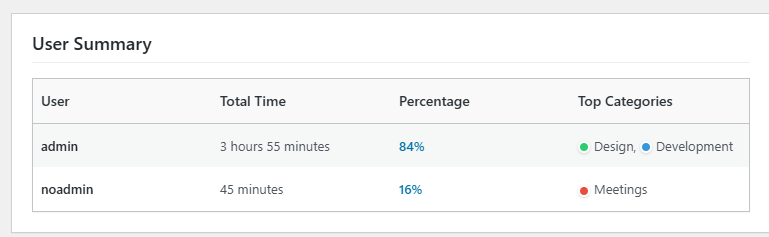
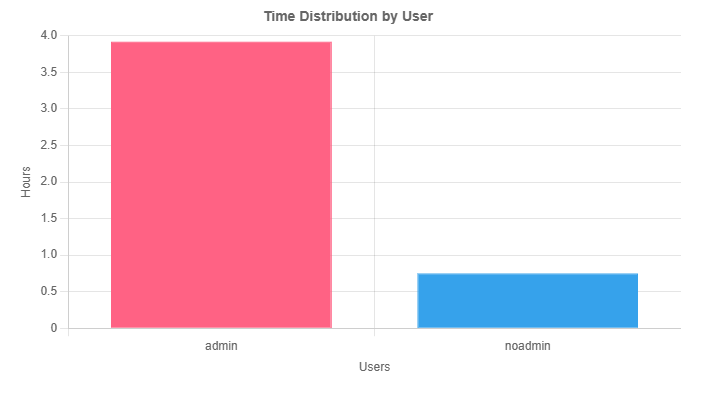
📈 Clear Reporting – Visual charts and detailed reports show exactly where your time goes, with CSV export for billing.
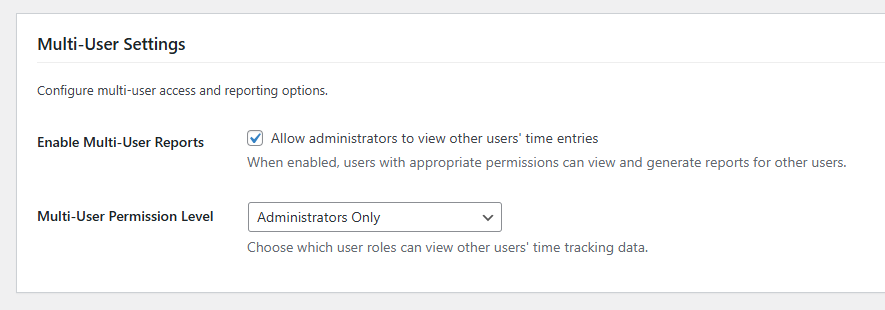
👥 Team Ready – Multiple users can track time simultaneously. Perfect for agencies and development teams.
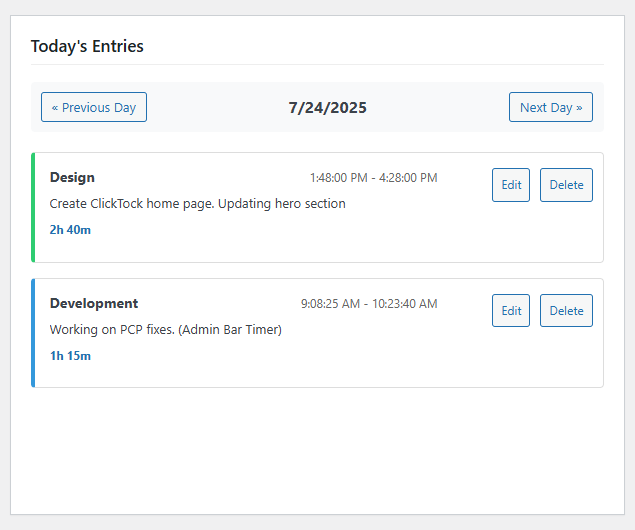
Everything you need, nothing you don’t
- Click to Start – From the admin bar hover over “Start Timer” and click your category (Development, Design, etc.)
- Work Normally – ClickTock runs quietly in the background while you focus on your work.
- Click to End – Hover over the timer and click “Stop timer” to save.
- Export & Bill – Generate reports and export to CSV for accurate client billing.
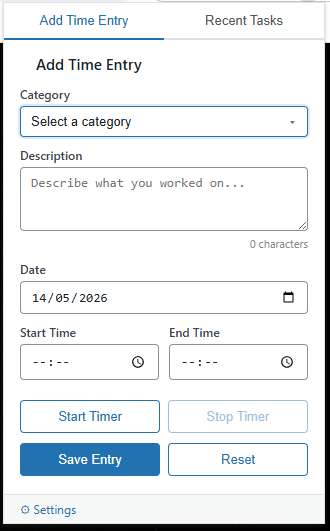
Track time directly from your browser
The ClickTock Chrome extension lets you start and stop timers without ever opening WordPress. Perfect for staying focused while you work.
🖱️ One-click timers – Start tracking instantly from any browser tab. No switching to WordPress required.
📂 Your categories, always there – Your WordPress categories sync automatically. Just pick one and go.
⚡ Switch tasks instantly – Jump between categories mid-work. ClickTock handles the timing so you don’t have to.
📊 Everything syncs to WordPress – All time entries flow straight into your ClickTock reports, charts, and CSV exports.
👥 Per-user credentials – Each team member gets their own login. Time entries are correctly attributed in reporting.
Additional Images
14 day 100% refund policy
If during the next 14 days you experience an issue that makes the product unusable and I am unable to resolve it, I’ll happily consider offering a full refund of your money.
One-off pricing
With ClickTock’s one-off pricing you can purchase additional licenses as required.
Single Site (One-Off)
€49
Use it on one central 1 site
25 Sites (One-Off)
€79
Use it on up to 25 sites
Single Site (One-Off)
$49
Use it on one central 1 site
25 Sites (One-Off)
$79
Use it on up to 25 sites
Are you looking to grow your revenue while keeping your clients happy?
Please get in touch if you’d like to discuss partnership opportunities and the different ways my plugins could help you grow your client revenue (by reducing preventable support requests).
