
DLP Power Pack Release Notes V1.3
Release notes 3rd July 2025
- Front end forms: Added setting to allow URLs instead of document uploads
- Front end forms: Added setting to allow custom authors to be entered
- Custom Taxonomy Filters: Add your own custom taxonomies to the all documents screen
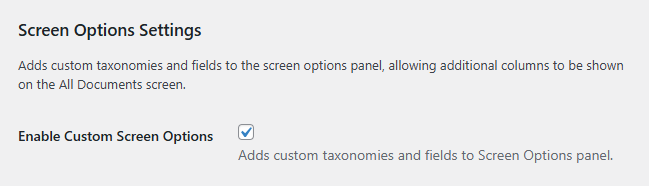
- Screen Options Settings: Adds custom taxonomies and fields to the screen options panel, allowing additional columns to be shown on the All Documents screen
- Bug Fix: The front end form’s custom text taxonomy wasn’t populating values
Front end forms: Added setting to allow URLs instead of document uploads
Prior to V1.3 only File uploading was available via the new frontend form. With the new “Document Upload Type” setting you can set your form to use URL submissions instead. This allows for consistent document submission for one OR the other, but not both types.
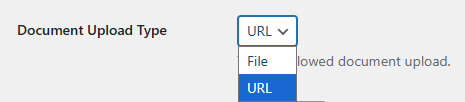
Front end forms: Added setting to allow custom authors to be entered
With “Custom authors” enabled your logged in users can enter a new author(s) in addition to selecting the current options. This allows more flexibility when your full list of authors may not be known ahead of time.

Custom Taxonomy Filters: Add your own custom taxonomies to the all documents screen
With custom taxonomies supported via the new frontend upload form, the new Custom Taxonomy Filters screen lets you include these on the “All Documents” screen.
Tick the desired taxonomy and it’ll appear as a new filter as soon as it has one or more documents using it.
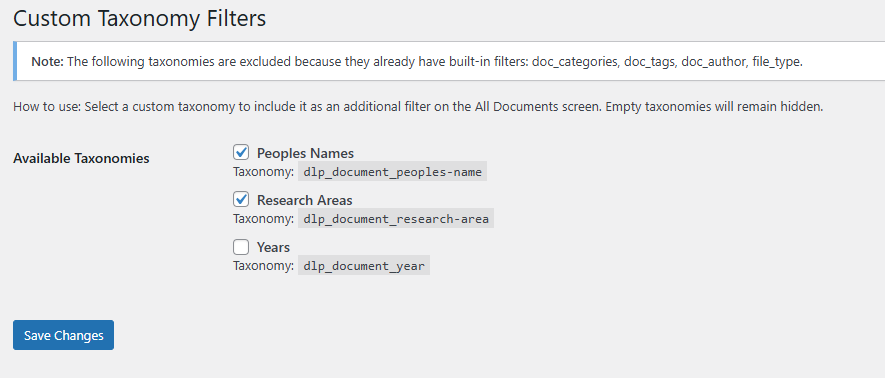
Here we can see the new “Peoples Names” and “Research Areas” filters.
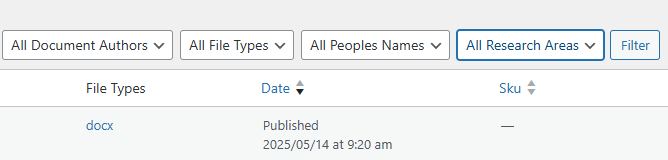
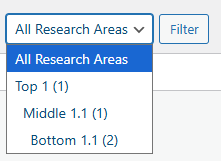
Your hierarchical taxonomies are also supported.
Screen Options Settings
Would you like to show additional columns on the “All Documents screen”? With the “Enable Custom Screen Options” setting checked you will see additional custom fields / taxonomies listed under Columns.
Here we can see the “Peoples Names” and “Research Areas” taxonomies which have been added via the Barn2 Easy Post Types plugin.
