
Missing From Cart Release Notes
20th Nov 2025 – V1.1.1
- Bug fix: Adding / removing a zero value cart item didn’t refresh the cart error message
- Bug fix: A prevent checkout rule wasn’t working correctly
31st Oct 2025 – V1.1
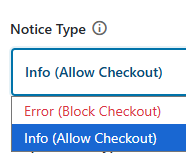
- New setting: Notice Type – Choose between “Error” (block checkout) and “Info” (allows checkout).
- New setting: Prevent checkout if cart contains ONLY items from these categories – Enable this to prevent customers from checking out when their cart contains only products from the selected categories (useful for free gifts, promotional items, etc.)
- New setting: Require complete bundle multiples (equal quantities across all categories) – When enabled, customers must add equal quantities from all categories. Example: 1+1+1 or 2+2+2, but not 2+1+1. This overrides individual quantity limits.
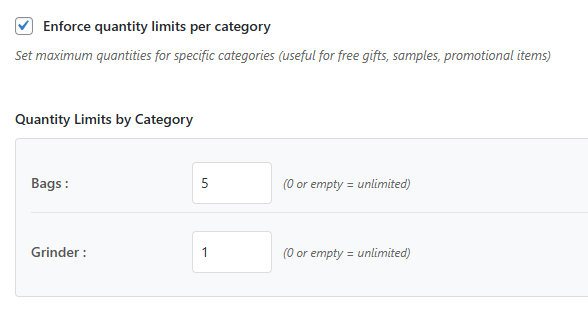
- New setting: Enforce quantity limits per category – Set maximum quantities for specific categories (useful for free gifts, samples, promotional items)
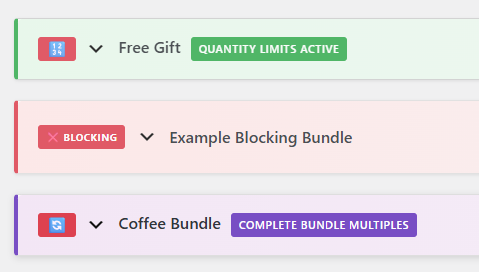
- Improved UI: Bundles can now be collapsed / expanded and re-ordered
Notice Type
With “Info” notices you can now softly upsell, or remind buyers about a free gift, without forcing them to add one to their cart. This notice will be shown on the cart / checkout pages.
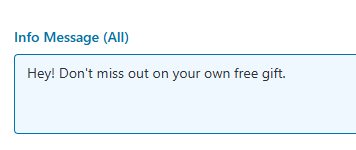
Info messages can be customised to suit your store. Here is one example entered on the bundle page.
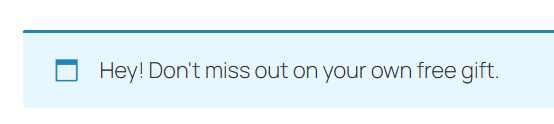
And the notice displayed while viewing the cart.
The default notice type is “Error”, which would replace the message with this:

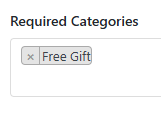
Prevent checkout if cart contains ONLY items from these categories
This option was added to prevent potential shoppers from adding a free gift or other bonus product to their cart and checking out without other products. When enabled it will ensure that the cart contains a product from any other category.

Require complete bundle multiples
When a bundle requires 3 items (for example a main meal, a drink and a pudding), it is now possible for multiples of a complete bundle to be added to the cart. 1+1+1, or 2+2+2 of each item, but not 1+2+1.

Enforce quantity limits per category
Each bundle can now limit the quantity of products per category. This is helpful for stores selling samples, promotional or clearance items.
Improved UI
Bundles can now be collapsed using the arrow on the left, next to that bundle’s name. Icons and labels will help you see at a glance which setting are in place, like quantity limits or complete bundle multiples.
On the righthand side of each bundle are up / down arrows, allowing easy re-ordering.
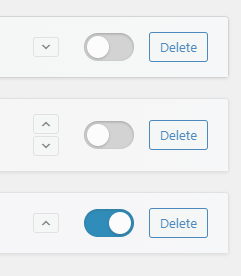
This allows stores to set up different bundles for use during the year, like Black Friday, Christmas, or summer sale. De-active a bundle then move it to the bottom of the list for future use.