
Getting Started with Missing From Cart for WooCommerce V1.0
2. From your confirmation email download the plugin, upload it and activate it with the license key provided in the email.
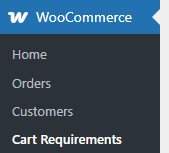
3. From the plugin listing screen click on Settings, or go to WooCommerce > Cart Requirements.

4. Click the “Add New Bundle”.
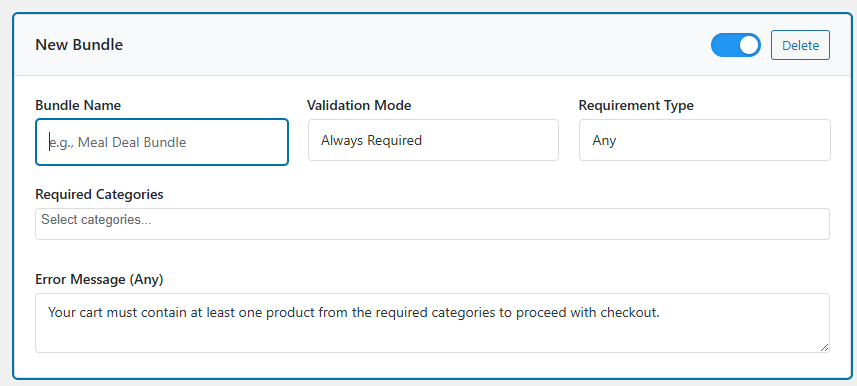
5. In the new panel enter a Bundle Name, pick the validation mode (Always Required / Only When Bundle Started), the required categories and adjust the error message to suit.
6. Click the “Save All Changes” button at the top of the screen.
Example 1: Free gift with every order
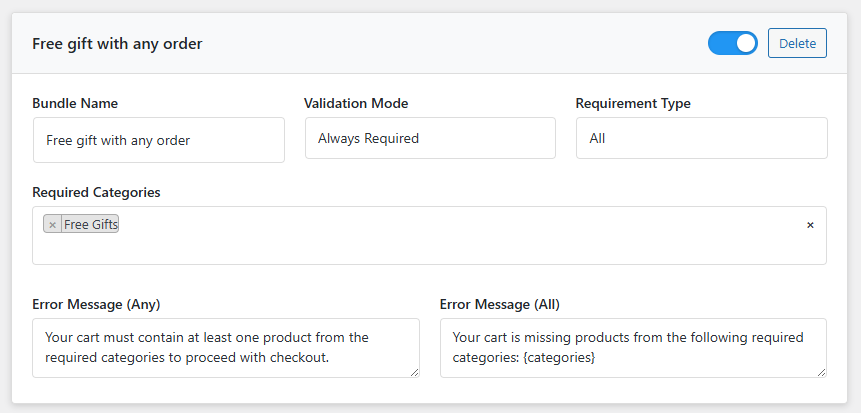
In this example your customers will need to add any product that belongs to the “Free Gifts” category to complete their purchase.
The settings for this would have the validation mode set to “Always Required” (this rule will be checked for every order). As there is only one category selected the requirement type is “All”. Select the “Free Gifts” category.
You can customise the error message depending on the requirement type.
Cart checks will be enabled by default. To pause a check without deleting your work you can toggle the option in the top corner (left = off, right = on). The panel will be greyed out, but still editable when paused.
Example 2: Mix and match clothing bundle
I don’t do much clothing shopping, but I’ve been informed if you were buying a new suit you’d typically pick a jacket, then a shirt / shoes etc.
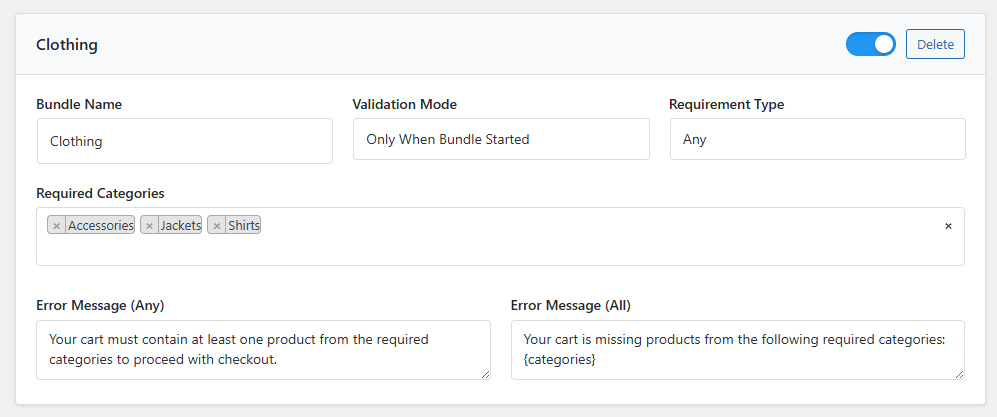
In this example pretend we have some end-of-range stock we wish to bundle and sell. A valid bundle requires at least one jacket / shirt / accessory (either a hat / shoes / socks).
For this the validation mode is “Only When Bundle Started”. As soon as any product belonging to Jackets / Shirts / Accessories has been added to the cart at least one item from the remaining categories is required, which triggers the reminder message so they have a valid order.
In this example the requirement type is “Any”, as any item from those categories will trigger this particular cart check.
Check out the release notes
Version 1.1 released on the 31st Oct 2025 included a selection of new options to allow quantity limits and several other options.
Read the release notes.