
Why did I create ClickTock?
There is an old saying: Time is money.
Over the last two years my wife and I have created a number of WordPress sites, and until recently (July 2025) a 3 day a week corporate salary allowed our site builds to be extra money in the business account without a strict focus on profitability.
Back in April I was due to start a white labelled WooCommerce site build, which had a fixed scope and price. From the outset it was a loosely defined project as they were trying out different ideas to see what they liked.
While there are a wide range of project management tools out there, from free to paid, which include a time tracking element as one of many features, I wasn’t looking for a full management tool.
Simple Time Tracker (Proof of concept)
I needed something simple for notes of what I’d planned to do / completed and its duration. With this in mind I (quickly) created a very “Simple Time Tracker” plugin as a proof of concept to sit inside this client’s WordPress admin area so I could track my time spent on the project.
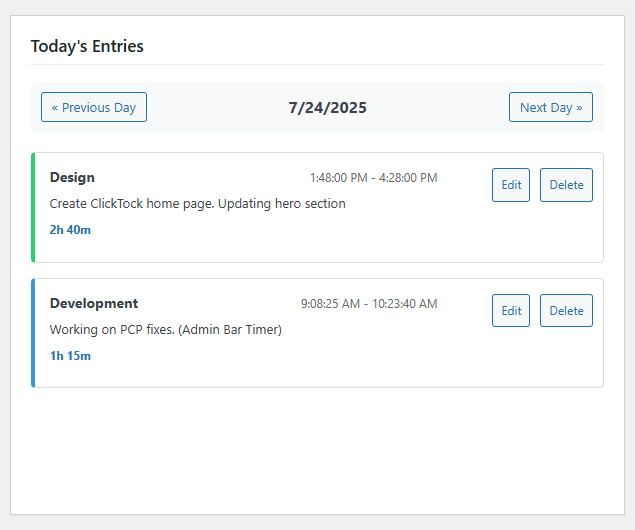
Once you’ve tracked time it would be useful to see what time was spent on different tasks, so I added in some charting so it looked nice.
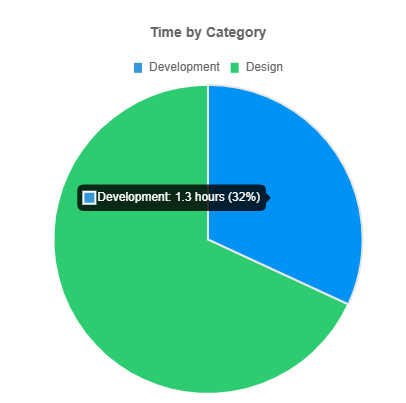
This worked well for that client build so I posted a few early concept screen shots on Twitter. Much to my surprise there were other web designers / site maintainers who said this looked like an interesting idea and to keep them posted on progress.
This validated the idea in my head that a simple time tracker that sits inside a client’s WordPress site has interest within my target audience of web designers / site maintainer.
ClickTock was born
This plugin started life for my own use, and seeing how others were interested in it warranted spending some time to reach the V1.0 stage of a “most lovable product”.
Just enough to correctly track time, provide charting and exporting to CSV. No bloat.
It needed to be something a bit different from other time tracking services. Seeing as it is focused on WordPress site builders it made sense to keep it within a WordPress site right where they are working. This makes it easier to fit into their existing workflow and saves time tracking down another portal login or correct browser tab.
What about non site build / maintenance work?
My wife is covering the small business brochure website builds while I am focusing on plugin / product development. With ClickTock installed on our own website I can still track my time spent on these various tasks by creating additional categories.
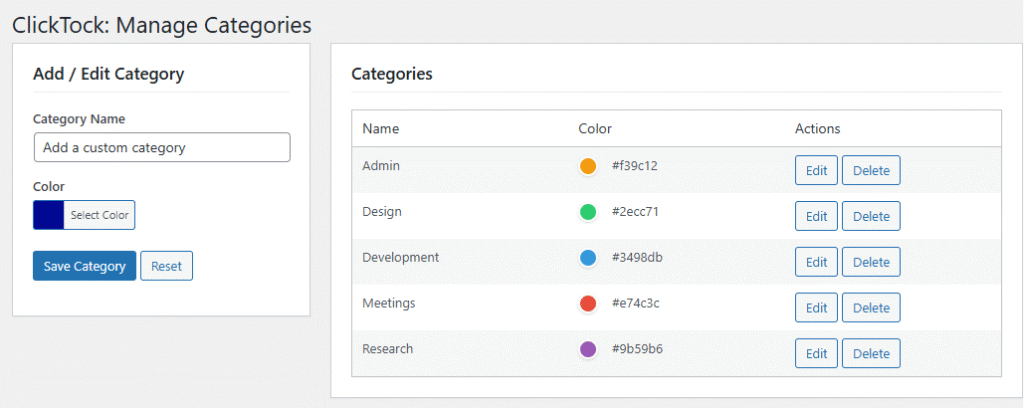
That’s all for now. Thanks for reading about how ClickTock started.
Check out the features wish list and release notes to learn more.