
Media Library Essentials
Introducing ToggleWP: As of 2nd Feb this plugin’s functionality is now available as part of ToggleWP. Media Library Essentials will be receiving bug fixes only.
Media Library Essentials adds time saving features to a site’s media library.
Current Version: v1.2 – 2nd Jan 2026. Read release notes.
14 Day Money Back Guarantee
If during the next 14 days you experience an issue that makes the product unusable and we are unable to resolve it, I’ll happily consider offering a full refund of your money.
Utility plugins built for fellow web designers
Media Library Essentials provides time saving additions for your media library. Over an entire site build this time can soon add up to real productivity savings.
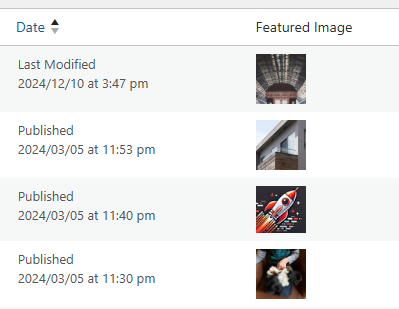
The quickest way to set a featured image
Need to review your featured images? They can be viewed, and set, on the Post and Page screens.
Feature images can also be set on any custom post type that uses them.
No need to edit the post, click featured image, and then save the changes.
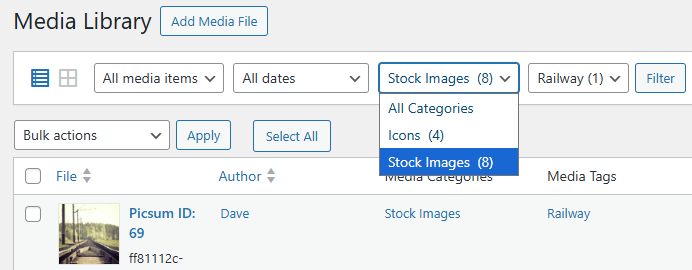
Keep track of image usage across your entire site
Adds image usage counts, file sizes and dimensions to your WordPress Media Library (list view). Click an image’s “Used as” link to see which posts / pages have used it.
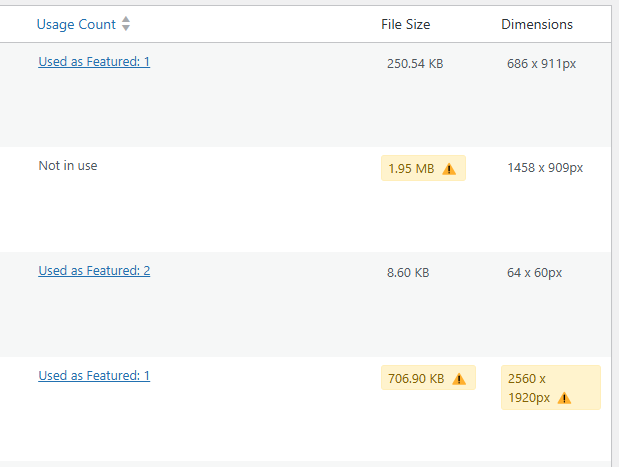

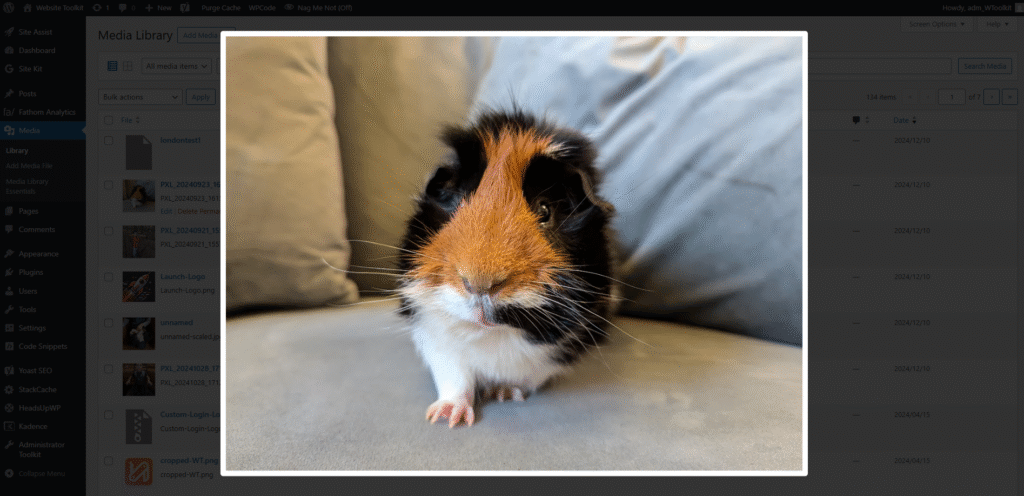
Image thumbnail to a pop-up preview
Having trouble tidying up your media library? Hover your mouse over a thumbnail in the Media Library (list view) for 3 seconds and it will pop-up a full screen preview.
Click outside of the image or press ESC to return to the normal view.
This is a lot faster than clicking View, opening the image in a new screen, then clicking back and trying to find it again.
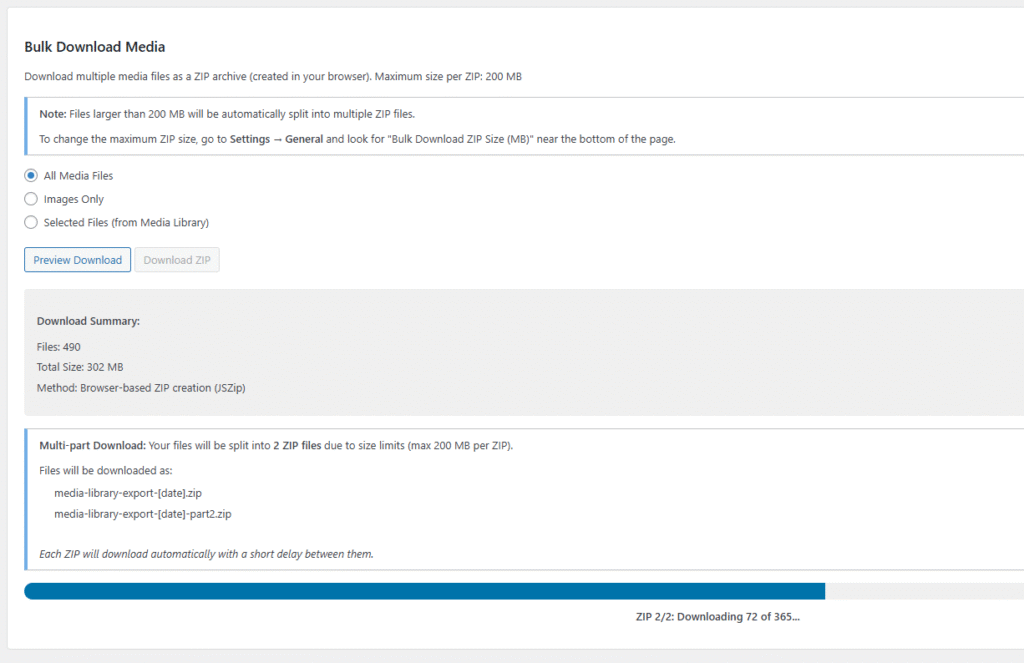
Save time by bulk downloading your media library in minutes
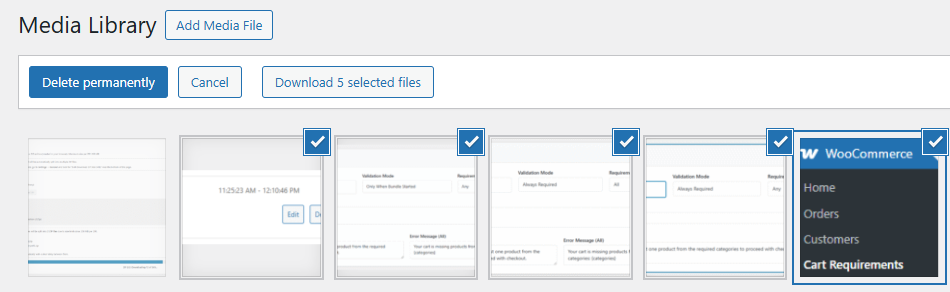
From V1.1 you can now bulk download your media library in minutes. Choose from “All media files”, “Images only”, or “Selected Files” from the Media Library*.
It automatically supports multiple zips, allowing large libraries to be broken up to manageable sizes (default size 200MB).
*Need some images but not everything? Grid and List modes now include a download button. Select them images and click download. Job done.
Saying good bye to subscriptions with one-off pricing
In Nov 2025 Media Library Essentials swapped from annual plans to a one-off payment.
This suits freelancers / small agency as it can be included in new site build without the worry of maximising your license use each year.
- 1 site = $19.99 / €19.99
- 3 sites = $24.99 / €24.99
- 25 sites = $49.99 / €49.99
- 200 sites = $99.99 / €99.99
See Media Library Essentials in action
This video shows the new columns and how to set a featured image.
Using the image preview pop-ups, then viewing an image to see its in-pop up usage information.